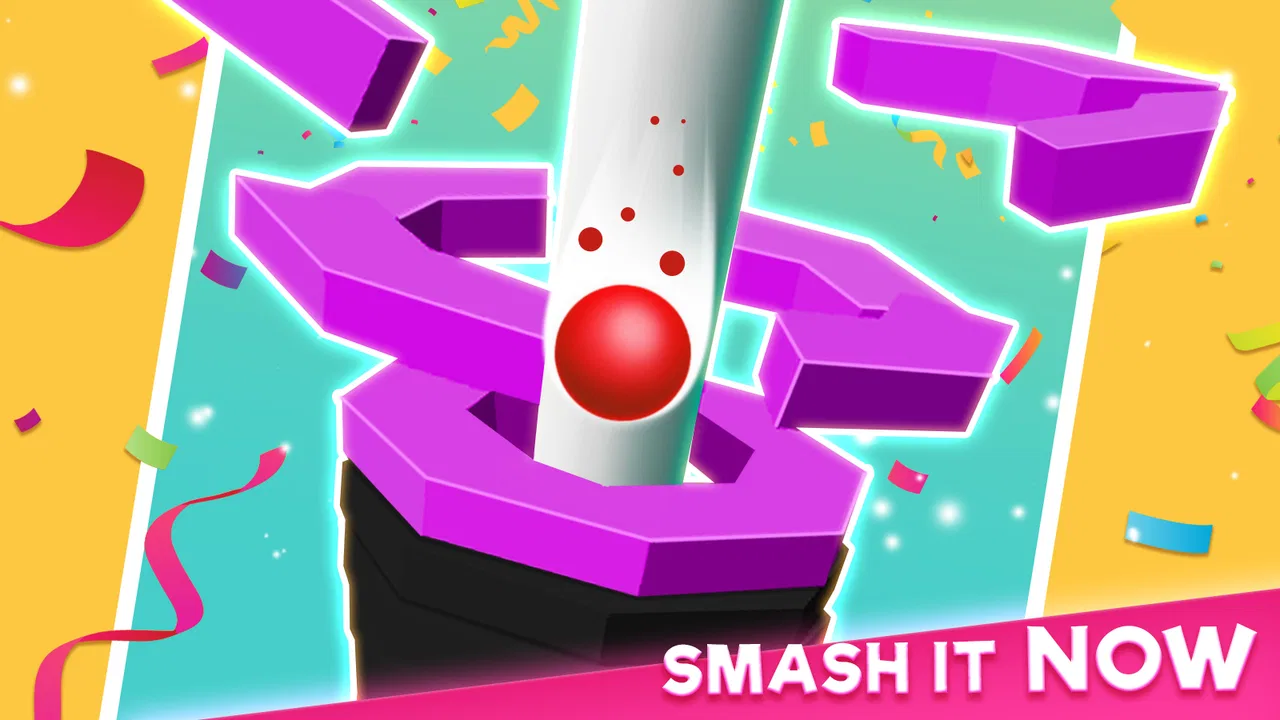
Mad Smash
- 3.9
- Rating
- 5.00M
- Installs
- Free
- Price

 Analysis by App-foxy
I picked up Mad Smash expecting a quick casual game, and that is exactly where it fits best: short sessions built around breaking downward through a tower while avoiding the blocks that can stop your run. The idea is easy to understand within seconds, but the timing becomes more demanding once the screen gives you less room to react. I found it most enjoyable when I wanted something immediate rather than a game that required a long tutorial, a story to follow, or a complicated set of controls.
It is a free game from Gimica GmbH, available for everyone and suitable for players using Android 7.0 or later. The current version is 1.8.1, and its casual design makes it a natural fit for a spare minute while waiting for transport, taking a short break, or winding down before bed. There are optional in-app purchases ranging from $0.99 to $4.49 per item, so the basic entry point is friendly, although players who dislike any purchase prompts should keep that part of the experience in mind.
How the tower-breaking loop feels in everyday play
The central action is deliberately direct. You smash your way down, watch the blocks, and try to keep the run going. That simplicity is a strength because I never felt buried under menus or instructions. I could open the game, understand the immediate objective, and start playing without setting aside time to learn a large system.
You May Also Like

 Google Keep - Notes and lists
Google Keep’s Quiet Growth Shows the Appeal of Simpler Notes
As mobile work gets busier, Google Keep keeps winning a simple contest: capture a thought quickly, find it later, and get on with the day.

 Blood Strike: 2.5 Anniversary
Blood Strike’s Loadouts Turn Every Drop Into a Tactical Gamble
A close look at Blood Strike’s custom loadouts: how fast access to signature weapons reshapes its battle royale rhythm, rewards preparation, and narrows the gap between fights.

 Pandora - Music & Podcasts
Pandora’s Music Is Easy to Start, but Harder to Recover
Pandora’s strength is its low-effort path from a seed to a station. Its weak spot is how much confidence it asks you to place in connection, setup, and quiet recovery.

 8 Ball Pool
 Is Built on Rivalries, Rematches, and Routine
A close look at the rivalries, rematches, shared routines, and unanswered safety questions that turn a quick pool match into a persistent mobile community.

 Samsung Music
’s Quiet Strength Is Playing What You Already Own
Its reach comes less from spectacle than from dependable access to a personal library. That simplicity is both the app’s strongest retention engine and its ceiling.

 AccuWeather: Weather Radar
AccuWeather Review: A Quick, Clear Forecast for Everyday Decisions
For everyday plans, the best forecast is the one you can understand quickly. AccuWeather makes rain timing, radar, and local conditions easy to act on, with a few trade-offs.
More From Our News Desk



At the same time, the game is not completely mindless. The blocks turn the descent into a timing exercise. Acting too quickly can put you in the path of an obstacle, while hesitating can make the next move feel harder to read. The most useful adjustment is to stop treating every opening as an invitation to rush. I had better results when I watched the next section first and then committed to a move instead of reacting only to what was directly in front of me.
That small change in approach is one of the less obvious pleasures here. The game looks like a simple smashing toy, but it rewards a little restraint. If you are playing with one hand during a short break, this matters because the screen can become visually busy and an impulsive tap is often less effective than a measured one. I recommend using the first few attempts to learn the rhythm rather than chasing a perfect run immediately.
A realistic use case is a five-minute waiting period. I would not choose it for a long commute if I wanted a deep progression system, but it works well when I need a self-contained distraction that can be started and stopped without much preparation. The compact loop also makes it easy to hand to a younger player who wants to try something without reading a long explanation, though supervision is still sensible for children using a device with purchase options.
Why the simplicity works, and where it starts to wear thin
Mad Smash benefits from having one clear purpose. Many casual games add several currencies, missions, characters, or layered upgrade screens, and those systems can make a supposedly relaxing game feel like a second job. Here, the appeal comes from the immediate relationship between your decision and the next piece of the tower. When the timing works, the feedback feels satisfying because the result is easy to understand.
The trade-off is variety. If you prefer casual games with puzzles that change substantially from one session to the next, a collection of mini-games, or a strong narrative hook, this may feel narrow. Its appeal depends on whether repeating the same basic descent remains enjoyable for you. I could play several short rounds comfortably, but I would not recommend it as a replacement for a larger arcade game if you need constant new mechanics.
This is also where it differs from the usual alternatives in the category. A match-three game usually asks you to plan combinations on a grid, while an endless runner tends to focus on continuous movement and rapid lane decisions. Mad Smash sits closer to a compact reflex challenge, but its downward smashing gives it a more focused identity than a general collection of quick taps. Choose it when you want one mechanic polished around timing; choose a broader casual title when you want more types of activity in one app.
The current version and what it means for players
The current release is version 1.8.1, and the game has been available since December 3, 2021. Those details place it in a mature stage rather than at the beginning of its life. For someone installing it today, the practical takeaway is that the experience is established enough to have attracted a substantial audience, but it is still worth judging by the present gameplay rather than assuming that age alone guarantees ongoing change.
The game has passed five million installs, with an average rating of 3.9 from around seventy-six thousand ratings and about five thousand four hundred written reviews. I read that combination as a sign of a recognizable but not universally loved casual experience. It is popular enough to have found its audience, yet the rating also suggests that the narrow loop, pacing, or monetization may not suit everyone.
I would not treat the version number as proof of a specific feature history. What it does tell me is which build a new player should use as the reference point when deciding whether to install. Existing users should likewise judge the game by how the current build feels on their device, especially if they are returning after a long break. Expectations are best kept practical: this is a focused casual game, not a promise of a completely different format.
For players who already enjoy it, the current version should be approached as a continuation of the same central idea rather than a reason to expect a new genre. If you liked the quick descent and block awareness before, the appeal remains understandable. If you stopped playing because the repetition became tiring, a version update by itself may not solve that underlying issue. The important question is whether the core action still gives you enough satisfaction between sessions.
Small habits that make the game easier to enjoy
My first practical tip is to play in deliberate bursts. Because each attempt is easy to begin, it is tempting to keep restarting immediately after a mistake. That can turn a light game into a frustrating loop. I found it better to pause briefly, identify whether I failed because I rushed or misread the blocks, and then try again with one specific adjustment.
My second tip is to protect the screen from distractions. The game depends on noticing the arrangement in front of you, so playing while switching between messages or watching another video makes the challenge feel unfair when the real problem is divided attention. A short, focused session is more rewarding than a longer session played half-heartedly.
Third, do not confuse speed with progress. The most satisfying runs were not always the fastest ones. Taking a moment to read the next opening gave me more control and reduced the feeling that success depended on random tapping. That is especially useful for younger or less experienced players, because it turns the game into a learnable timing exercise rather than a test of frantic reactions.
Finally, decide before playing whether you are comfortable with optional purchases. The game is free to start, but the available items cost between $0.99 and $4.49 each. I would keep purchase decisions separate from the excitement of a run and avoid treating an unsuccessful attempt as a reason to spend. Players who want a completely purchase-free environment may prefer a paid casual game with no optional items, even if its initial download costs more.
Where setup and recovery can trip you up
When a game feels awkward immediately after installation, I try not to judge the timing challenge before checking the basics. Confirm that the device meets the Android 7.0 minimum, that the game has finished installing, and that it opens normally before starting a run. If the display seems unresponsive, close and reopen the game once and make sure other heavy activity on the device is not competing for attention. These are simple checks, not a guarantee that every issue has the same cause.
If a run ends unexpectedly or the game stops responding, I would avoid rapid repeated tapping or immediately reinstalling. First give the app a moment, then return to it and see whether the issue happens again under ordinary conditions. If it does, restarting the device and checking for an available game update are sensible next steps. Reinstalling can remove local app information, so I would leave that until simpler recovery steps have failed and only proceed if I am comfortable with that possibility.
There is also a useful distinction between a difficult run and a technical problem. A mistake near a block is part of the intended challenge; a touch that appears not to register repeatedly, or an app that closes outside normal play, deserves a different response. I find it helpful to test a few careful inputs in a fresh attempt before deciding the controls are at fault. That prevents one rushed moment from turning into unnecessary troubleshooting.
Who should install it, and who should skip it
I would recommend Mad Smash to someone who likes quick arcade-style challenges, clear objectives, and sessions that do not require a large time commitment. It is also a reasonable choice for families looking for an Everyone-rated game with an easy starting point, provided an adult manages the device’s purchase settings when necessary. The low learning curve is its strongest invitation: you can understand the goal without studying instructions for long.
I would be more cautious recommending it to players who need deep progression, a story, competitive social systems, or a wide range of mechanics. It is not the right choice if repetition quickly bothers you or if you want a relaxing game with almost no chance of failure. The blocks create the tension, and that tension is the whole point; players who prefer calm decoration or slow puzzle solving may find the constant need to watch and react tiring.
It may also be a poor fit for anyone who expects a casual game to remain fresh through frequent structural changes. The verified release and current version establish where the product stands, but they do not justify promising a particular future roadmap. I would install it for the gameplay that is available now, not because I expect upcoming changes to transform it into something broader.
What existing users should watch next
For returning players, the most useful things to watch are practical rather than speculative. Pay attention to whether the current build keeps the controls responsive on your device, whether the block patterns continue to feel readable, and whether the purchase presentation remains comfortable for your habits. Those points affect the daily experience more than a version label on its own.
New players should watch their own reaction after several short sessions. If the satisfaction comes from improving timing and reading the tower, the game has a solid reason to stay installed. If the first appeal fades as soon as the basic loop becomes familiar, that is a clear signal to move to a casual alternative with puzzles, levels, or mechanics that change more often.
When the device, rather than the game, may be responsible
Not every hitch during a run points to a fault in the game. If touch response feels inconsistent across other apps too, the device or the way you are holding it may be part of the problem. I would clean and dry the screen, try again without covering the area I need to tap, and see whether the same issue appears in another simple app. If other apps behave normally but this one repeatedly closes or ignores input, that is a more useful detail to keep in mind when seeking help.
Likewise, a slow or interrupted installation can come from a weak connection or limited free space rather than the gameplay itself. I would check that the download has completed and that the device has room to run normally before drawing conclusions from a rough first launch. These checks are especially worthwhile on an older phone: meeting the minimum Android requirement means it can install, but it does not promise identical performance on every device.
For parents, another practical point is to set expectations before handing over the phone. The Everyone age rating makes the game broadly suitable, but it does not remove the need to manage purchases through the device’s usual controls. I would let a child try a short supervised session first, explain that purchases are not needed to decide whether the basic play is enjoyable, and keep spending decisions with the adult.
My overall view is positive but deliberately limited. Mad Smash does one thing clearly: it turns a downward tower into a compact test of timing and attention. I like that I can play it without a long commitment, and I appreciate that the objective is immediately understandable. Its weaknesses are the natural cost of that focus: repetition can arrive early, and players seeking a broader experience will outgrow it.
For me, the best way to approach it is as a small arcade snack rather than a main game. Install it when you want a free, accessible challenge for short breaks, keep your movements measured, and treat optional purchases as entirely separate from your enjoyment. If that sounds like the kind of session you want, Mad Smash is worth trying for its straightforward tower-breaking rhythm. If you need lasting variety or a deeper sense of progression, your time will be better spent with a more expansive casual game.
FAQs for Mad Smash
01What is Mad Smash?
Mad Smash is an action-packed mobile game that combines elements of puzzle and strategy. Players must navigate through various levels by smashing obstacles and defeating enemies using unique abilities. The game is available for both Android and iOS platforms, offering hours of engaging gameplay with vibrant graphics and challenging missions.
02Is Mad Smash free to play?
Mad Smash is free to download and play, offering a range of in-game purchases to enhance the experience. While it's possible to enjoy the game without spending money, optional purchases can unlock special abilities, power-ups, and ad-free gameplay, providing a more streamlined and enriched gaming experience.
03What devices are compatible with Mad Smash?
Mad Smash is compatible with most modern smartphones and tablets running on Android and iOS. To ensure optimal performance, it's recommended to have at least Android 8.0 or iOS 11.0. Users should also ensure they have sufficient storage space and a stable internet connection for seamless gameplay.
04Does Mad Smash require an internet connection?
While Mad Smash can be played offline, certain features, such as leaderboard rankings and in-app purchases, require an internet connection. Playing online also enables cloud saves, allowing progress to be synchronized across multiple devices, ensuring you never lose your game progress.
05How can I contact customer support for Mad Smash?
If you encounter any issues or have questions about Mad Smash, customer support can be reached through the app's settings menu or the official website. Support is available 24/7 via email or live chat, ensuring that any problems or inquiries are addressed promptly and efficiently.
Pros
- Intuitive interface for easy navigation.
- Vibrant graphics enhance user experience.
- Offers a wide range of levels.
- Regular updates with new features.
- Engaging sound effects.
Cons
- Contains in-app purchases.
- Requires constant internet connection.
- Ads can be intrusive at times.
- Some levels are paywalled.
- Limited offline functionality.

Mad Smash
Gallery